Giving Learner Home's navigation the structure it never had.
Kaplan is a global educational services company with B2C and B2B products. I simplified the navigation to reduce friction and align cross-platform experiences.
Duration: Oct–Dec 2023 · Team: Product Designer · UX Researcher · Product Manager · Lead Engineer
Cluttered menus and unclear hierarchies.
Learner Home had evolved without a clear navigation logic, leaving users struggling to find what they needed. I redesigned it to reduce friction: fewer clicks, less hunting, and a consistent experience across Kaplan's connected products.
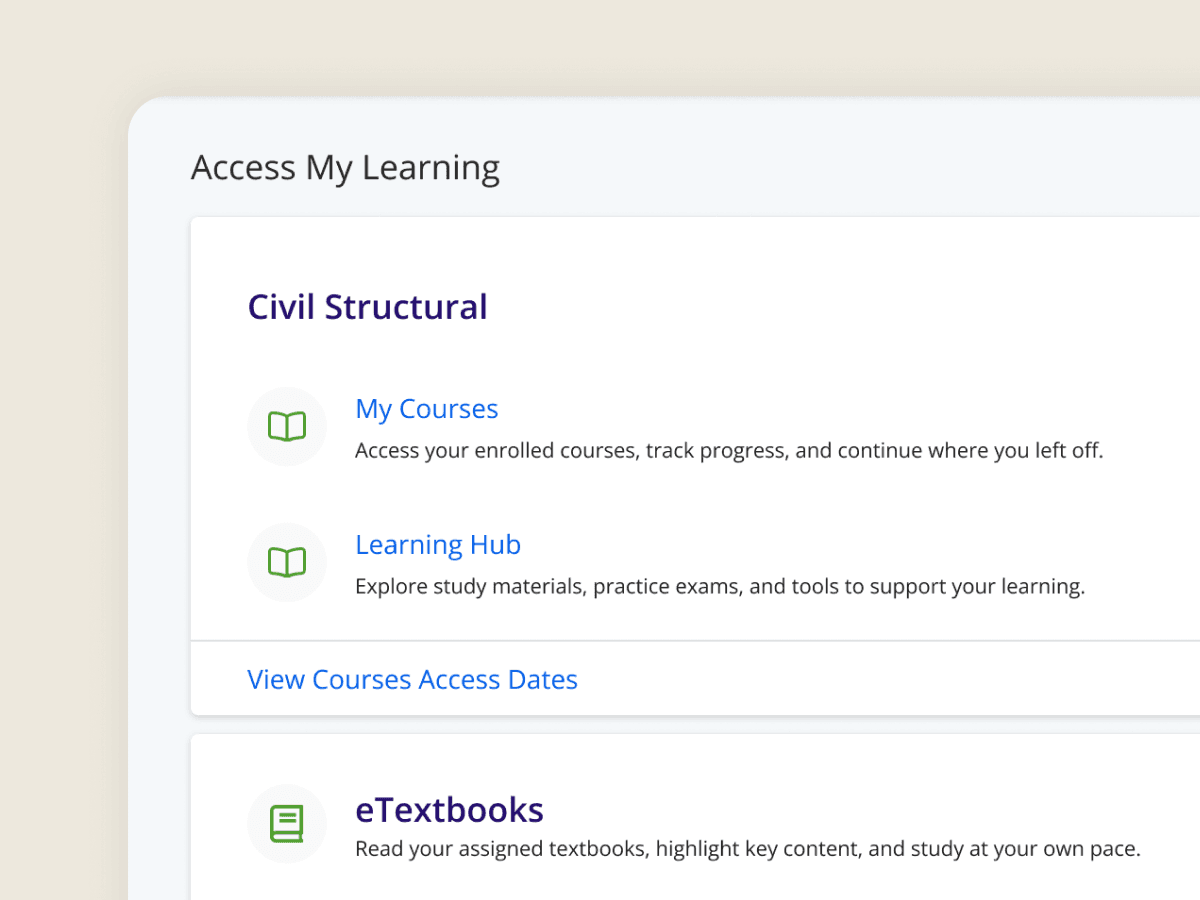
The dashboard was quietly doing the nav's job.
Users skipped the menu entirely and relied on the quick-link cards to get where they needed to go. The nav had made itself irrelevant.
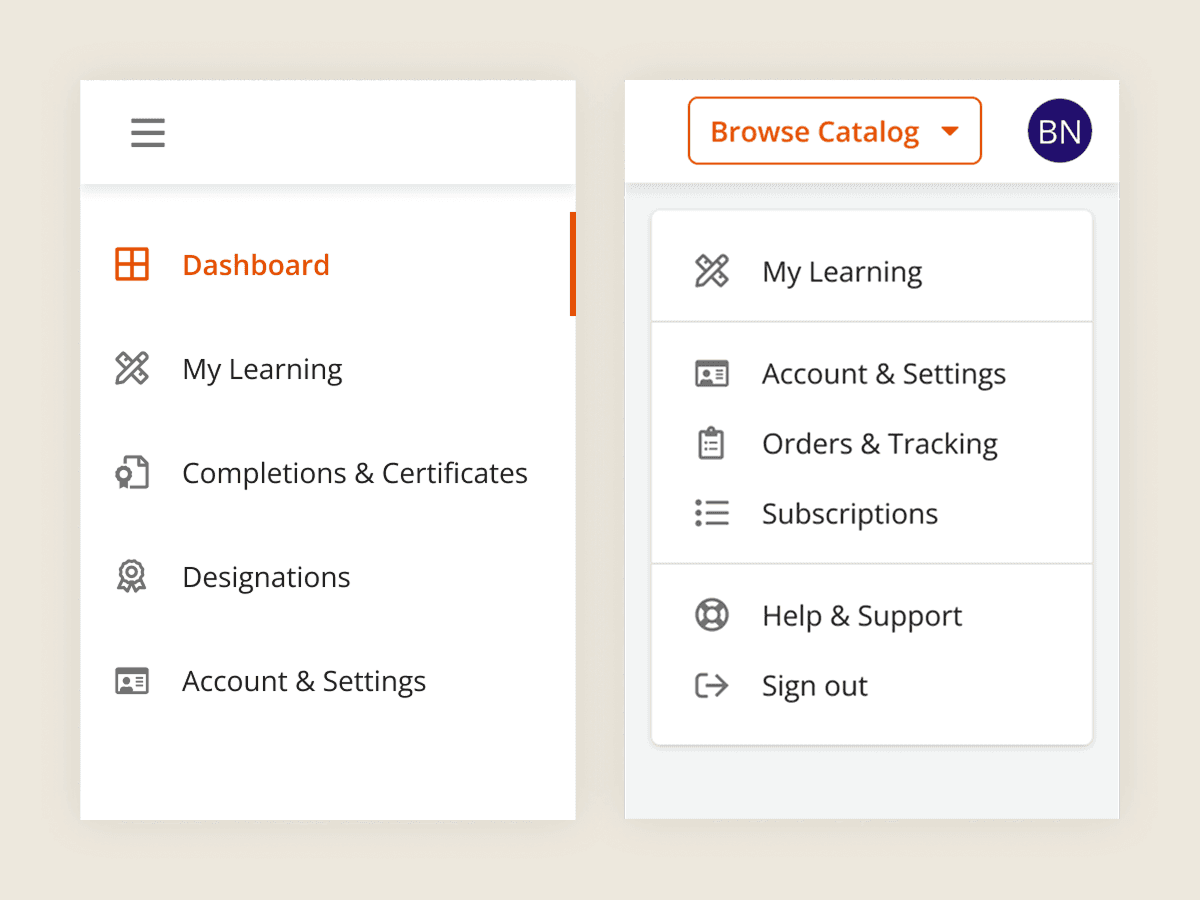
The side nav and the avatar menu shared key sections.
Finding courses, certificates, or account settings meant guessing which menu held them. Browse Catalog added unnecessary hierarchy.
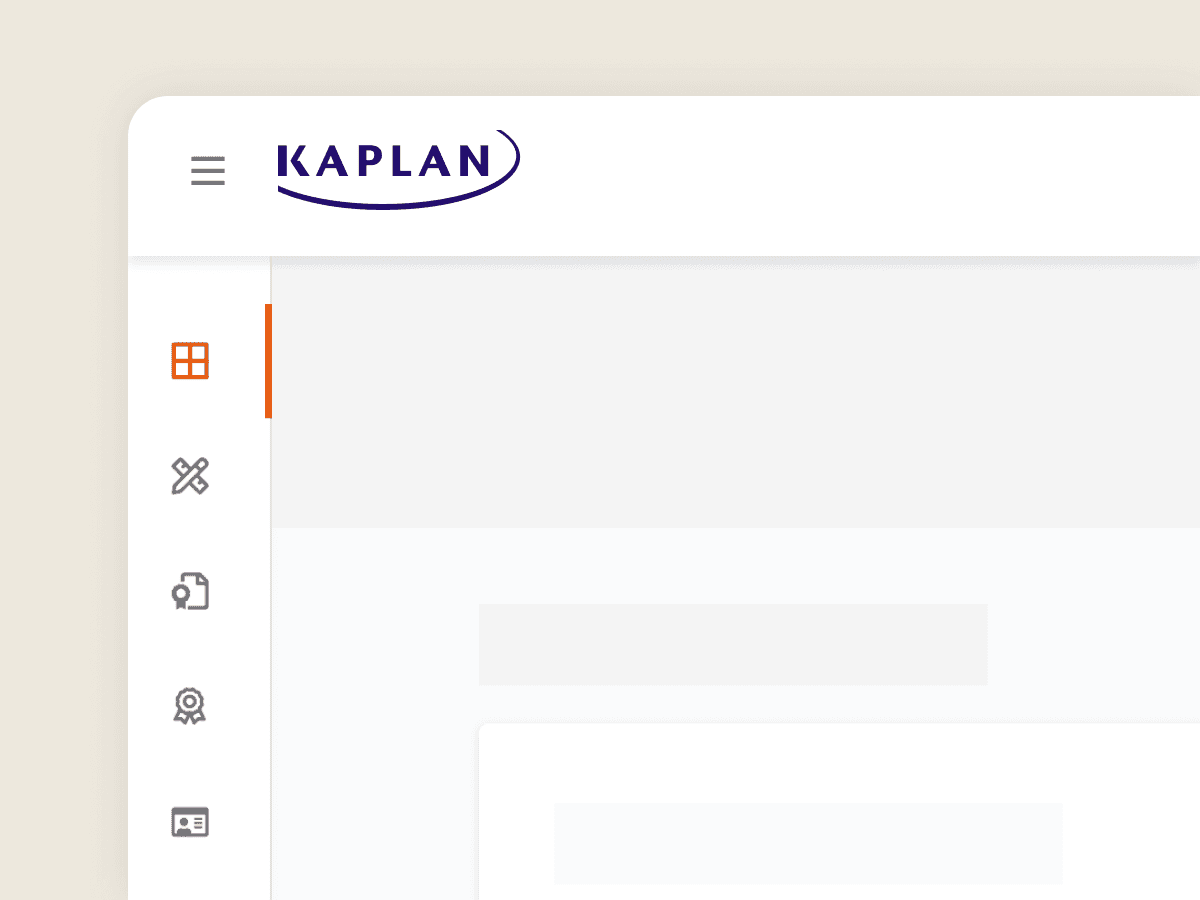
On desktop, the side nav was one hidden tap away.
Primary navigation lived behind a hamburger menu on desktop. Most users didn't open it, even though it held the actions they needed most.
One option for cross-platform consistency, one option for cleaner hierarchy.
First, I simplified the hierarchy for a cleaner structure. However, it created a larger gap with Atom, where users spend most of their time, and its team had other priorities than a navigation refactor. Before committing, I ran an A/B test to see if it was worth it.
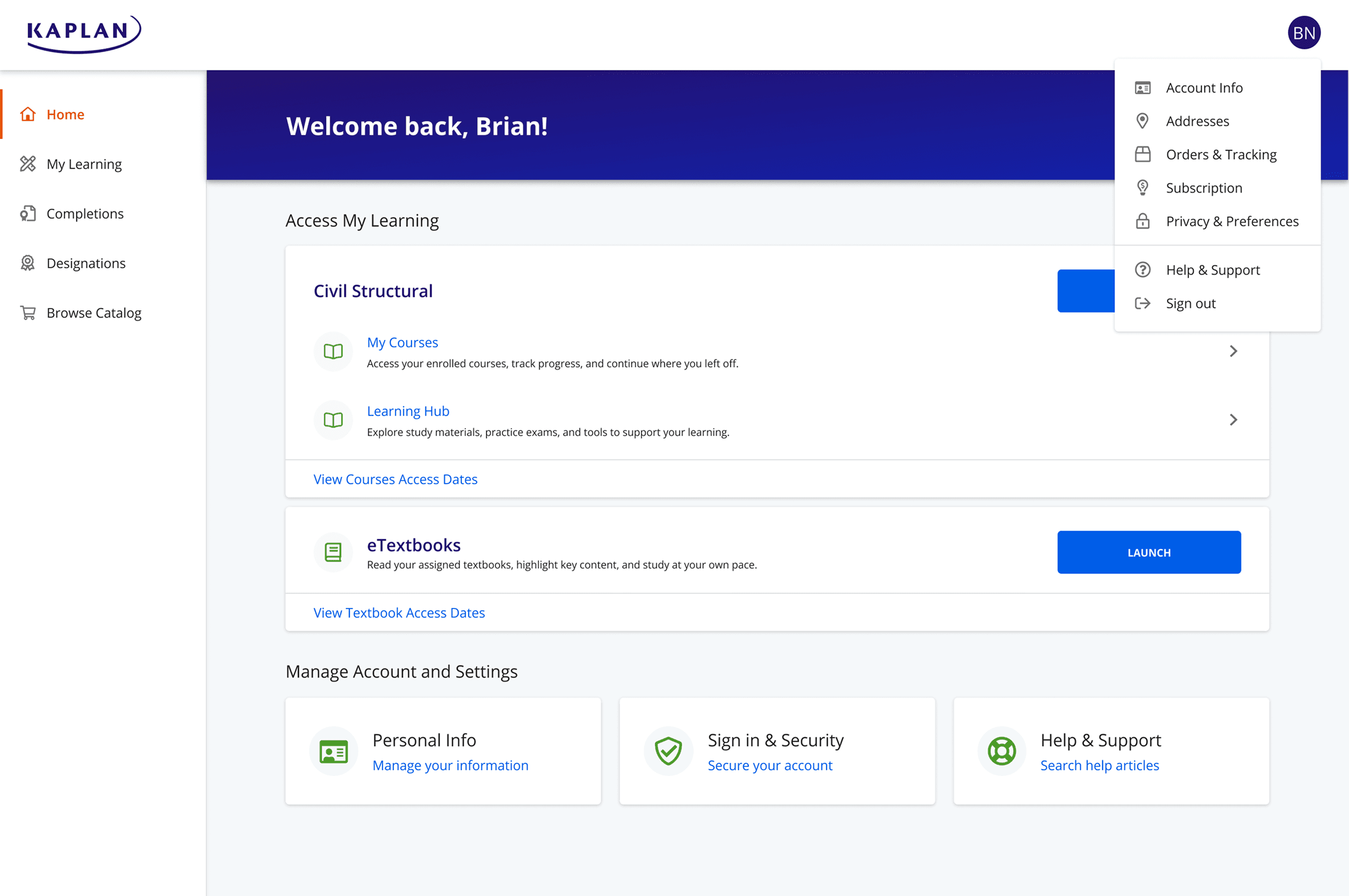
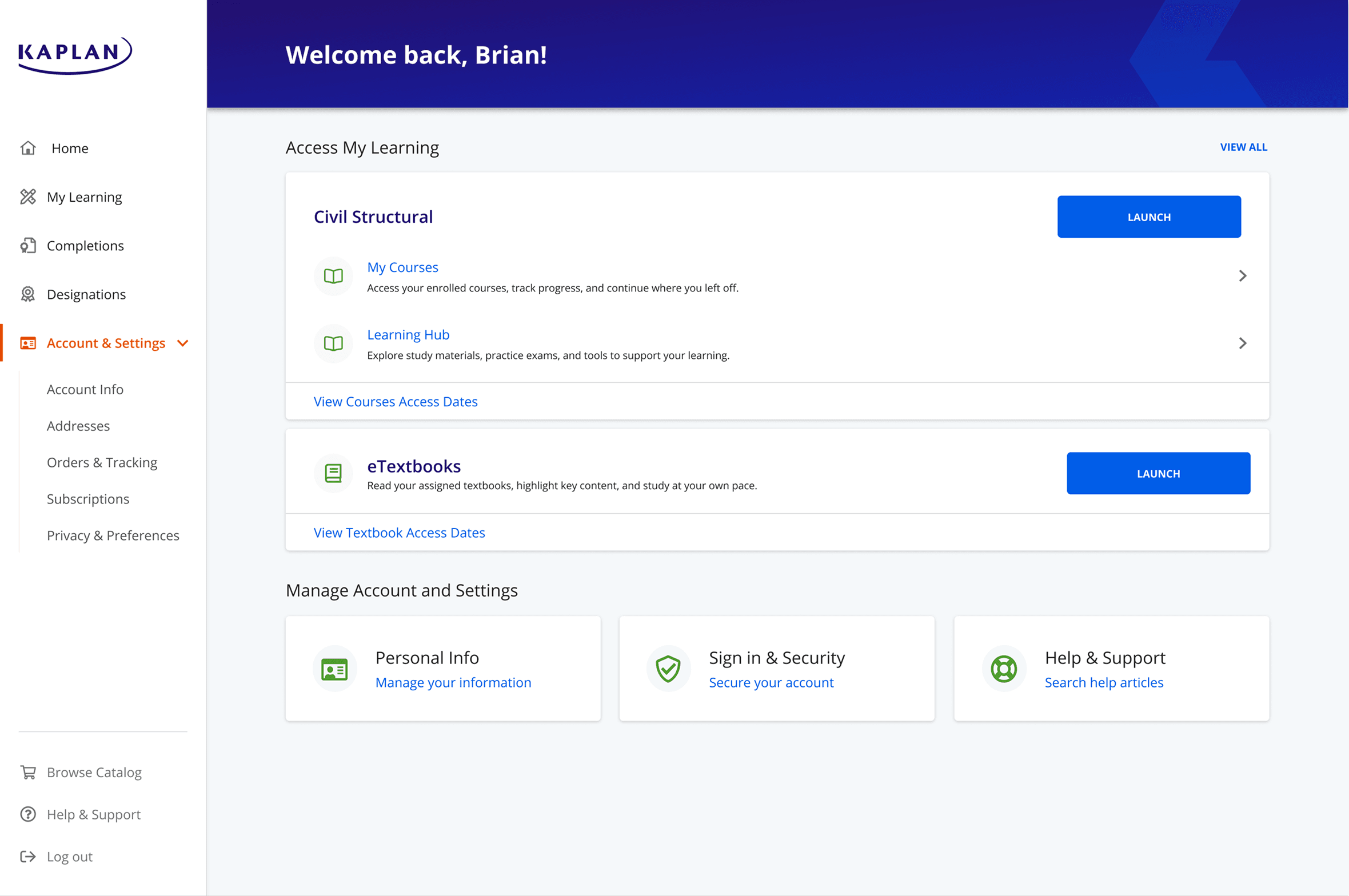
The difference between what users say and what users do.
I went with Design 2, giving each menu a clear role: student info in the avatar, navigation in the side nav, with a handful of labels updated to match learner language. 78% said they preferred Design 1, but Design 2 performed better on task completion:
+30%
found "Help & Support"
+56%
found "Browse Catalog"
+72%
found "Orders & Tracking"